Warp - Videos
Back to Channel
Warp open source office hours
Warp is now open source. Curious how contributions work? Have burning feature requests that you want to see us build? Come join us for a live "office hours" session! We will: Build features liv...

How Warp manages open-source with agents
To find the agent skills backing each part of the contribution flow: https://github.com/warpdotdev/warp/tree/master/.agents/skills To see the framework to adopt in your own projects: https://githu...

Warp is now open-source
Learn how to contribute: https://github.com/warpdotdev/warp See how our agent management system works: https://github.com/warpdotdev/oz-for-oss

Warp x Codex: Turning the terminal into an agentic development environment
See what first-class support for Codex looks like in Warp. At Warp, we believe that the terminal is already the best place to do agentic development, but traditional terminals are lacking some key...

How I use coding agents in Warp (with @YourAverageTechBro )
Warp made it easier to use any coding agent (Claude Code, Codex, etc) with vertical tabs, desktop notifications, remote control, and more. Your Average Tech Bro has been using this tool since laun...

Intro to Warp - fundamentals, CLI agents, cloud agents, and more!
Follow along with our starter repository, or just watch and ask questions as we go: https://github.com/warpdotdev/onboarding-demo-github-issue-triage-101 We cover: • The essentials of navigating ...

Warp for Data & Analytics Teams: building self-serve data workflows
Warp helps data and analytics teams do more than answer questions. It can also support the workflows behind the data, from recurring analysis to pipeline and repo-based work. In this session, Ian,...

Using Warp with coding agents (Claude Code, Codex, etc)

Universal agent support: level up Claude Code, Codex, OpenCode, Gemini CLI in Warp
Warp is an Agentic Development Environment, born out of the terminal. Today, we’re introducing a set of new features that make Warp the best place to work with the most popular coding agent CLIs, ...

Intro to Warp and Oz
Follow along with our starter repository, or just watch and ask questions as we go: https://github.com/warpdotdev/onboarding-demo-github-issue-triage-101 We cover: • The essentials of navigating ...

Everything is a CLI now (and it's awesome)
Resources from this video: - Google Workspace CLI - https://github.com/googleworkspace/cli - Obsidian CLI - https://obsidian.md/help/cli - Obsidian headless (ob) CLI - https://obsidian.md/help/head...

Intro to Warp and Oz
Follow along with our starter repository, or just watch and ask questions as we go: https://github.com/warpdotdev/onboarding-demo-github-issue-triage-101 We cover: • The essentials of navigating ...

Warp terminal deep dive
References from the video: - Environment variables: https://docs.warp.dev/knowledge-and-collaboration/warp-drive/environment-variables - Workflows: https://docs.warp.dev/knowledge-and-collaboration...

Intro to Warp and Oz
Follow along with our starter repository, or just watch and ask questions as we go: https://github.com/warpdotdev/onboarding-demo-github-issue-triage-101 We cover: • The essentials of navigating ...

Intro to Warp and Oz
Follow along with our starter repository, or just watch and ask questions as we go: https://github.com/warpdotdev/onboarding-demo-github-issue-triage-101 We cover: • The essentials of navigating ...

Accessibility Audit with Warp
Dave, a product designer at Warp does a full accessibility audit using Warp.

Intro to Warp and Oz
New to Warp? Join this session to learn everything you can do! We'll cover: - The essentials of navigating Warp as a terminal - How to use agents effectively: both Warp's built-in harness and cod...

If you made MoltBook for coding agents... what would they build?
Download the source code to build your own MoltBook for coding agents: https://github.com/warpdotdev/oz-workspace This project is powered by Oz cloud agents: https://oz.dev

What's an Agent Skill?
What's an Agent Skill? Agent Skills are reusable markdown files that teach Warp's agents how to perform specific tasks in your codebase. Instead of repeating the same detailed prompts, you defin...

Oz Live Workshop: Build Your First Cloud Agent
We recently introduced Oz, Warp’s programmable agent platform for orchestrating coding agents at scale. Deploy agents that run autonomously in the cloud - scheduled, triggered, or on-demand. Come ...

Building Oz: how, why, and what
A roundtable discussion with the team who built Oz. Hear how the Warp team uses Oz internally, the problem they were trying to solve, and why it’s built the way it is. Moderated by Warp’s DevRel L...

Doing an accessibility audit with Oz
Watch Dave (product designer) audit his web application for accessibility using our built-in auditor Skill

Proactively fixing bugs with Oz
Watch Ben (lead DevRel) build a Sentry alert monitor to proactively fix bugs using Oz + the TypeScript SDK.

Making a multi-repo platform fix with Oz
Watch Roland (product engineer) generate a fix to our platform across our server and client repositories in a single prompt... all while he's on a lunch break

Analyzing user data with Oz
Watch Ian (data scientist) use Oz to monitor customer data using BigQuery to send a scheduled insight summary to his team on Slack
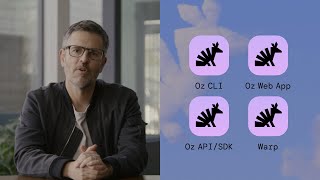
Introducing Oz: the orchestration platform for cloud agents
Oz is an orchestration platform for cloud agents. Developers are running more agents than their laptops can handle, and than they can reasonably track. Oz makes it easy to run unlimited agents in t...

Optimize your agent setup (AGENTS.md, custom commands)
Already familiar with coding agents in Warp, but want to improve efficiency and quality? This session is for you! We'll cover: - Improving prompt quality with a hierarchy of AGENTS.md files - Cre...

Intro to Warp
New to Warp? Join this session to pick of the basics! We'll cover: - The essentials of navigating Warp as a terminal - How to talk to our built-in agent - How to complete a coding task end-to-e...

Optimize your agent setup - live walkthrough
Download Warp: warp.dev Clone the starter repository: https://github.com/warpdotdev/onboarding-demo-github-issue-triage-201

Start using coding agents - live walkthrough
Download Warp: https://warp.dev Clone the starter project: https://github.com/warpdotdev/onboarding-demo-github-issue-triage-101

Introducing the Warp Platform Beta
Learn about our agents platform and session sharing: https://docs.warp.dev/knowledge-and-collaboration/session-sharing/ambient-agents-session-sharing

Let's build an advent calendar with Warp agents
We're build to build an advent calendar using Warp.
Everything new in Warp
We're going to build a real-world project.

Warp agents can now address comments (Interactive Code Review)
Warp brings code review into the terminal. With Interactive Code Review, you can now review an agent’s work like you would a teammate’s. Leave inline comments, ask questions, request changes, and ...

Warp agents can now /plan (Planning Mode)
How do you keep AI on track? You give it a plan. Warp’s new /plan command introduces spec-driven development inside the terminal. Align with your agent on a step-by-step implementation plan that c...
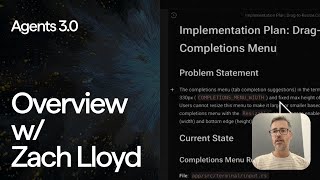
Agents 3.0 Walk-through with CEO Zach Lloyd
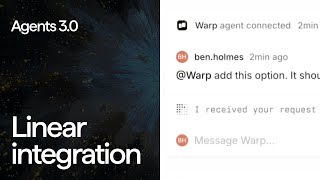
You can now @Warp in Linear
Warp now connects with Slack, Linear, and GitHub Actions, letting you assign tasks to the agent directly from the tools your team already uses. Trigger work, track progress, and even take over via ...

Agents 3.0 — Agents now have Full Terminal Use
Meet the first AI agent that can actually use the terminal like you do. Warp’s Full Terminal Use lets agents interact with REPLs, run debuggers, and operate full-screen CLI apps like top. Warp is ...

Introducing Agents 3.0 — Full Terminal Use, /plan, and more
Warp’s new features expand what agents can do and how you can interact with them: • Full Terminal Use lets the agent use the terminal as you would: interacting with REPLs, debuggers, and full-scre...

8 Warp Updates: Improved Voice Recording & AI Copy Functionality
Welcome back to another Fix-it Friday video, where we have 8 new updates that are shipped (or soon to be shipped). These include small feature requests or quality-of-life improvements that are user...

Making AI Usage More Transparent
We want every Warp user to get the most out of our agents. As part of that, we are always trying to make our agents more efficient, but also want to provide users with clear data on credit usage so...
Using Agent Profiles
Learn how Warp's agent profiles let you customize AI coding behavior for different scenarios. See a side-by-side comparison building an NFL predictor app with two distinct approaches. Timestamps: ...

Using Project Rules
Master Warp's project rule files to eliminate AI hallucinations. Learn how Warp.MD files provide consistent context and keep your AI agents laser-focused on your project. Timestamps: 00:00 Introdu...

Setting up Figma Remote MCP in Warp
Discover Warp's new remote Figma MCP server with OAuth support. Build websites directly from Figma designs with AI agents that understand your design system. Timestamps: 00:00 Introduction to Remo...

Introducing Warp CLI (Beta)
Introducing the Warp CLI — a new way to use Warp’s agents. 👉 Use the CLI to build custom integrations, use Warp on remote machines, trigger it when CI fails, or build your own Slack integrations. ...

Coding with Zach: Warp x Andrew Zigler

How to Make Warp's UI More Minimal
We've gotten user feedback that Warp's UI can feel overwhelming at times. There's a lot of customization you can do in Warp to make it feel more minimal, so we'll cover that in this video. Try War...

How to setup Ollama using Warp
We'll walk you through how to set up and use Ollama in Warp, step-by-step. Try Warp now for FREE 👉 https://www.warp.dev See our official changelog 👉 https://docs.warp.dev/getting-started/changelog...

10 Coding Features (you should know) in Warp
Try Warp now for FREE 👉 https://www.warp.dev See our official changelog 👉 https://docs.warp.dev/getting-started/changelog Warp Code is the best way to quickly iterate with agents: prompt, review, ...

Master Warp's Code Review Panel
Try Warp now for FREE 👉 https://www.warp.dev See our official changelog 👉 https://docs.warp.dev/getting-started/changelog Warp Code is the best way to quickly iterate with agents: prompt, review, ...