Bubble - Videos
Back to Channel
Deploying your iOS app to the App Store (Lesson 7.4)
In this lesson, we’ll go through the process of deploying a build of our app to App Store Connect, which is Apple’s platform for managing and distributing mobile apps in their app store. 00:00 App...

Making app updates (Lesson 7.2)
Whenever we make updates to our app we create a new version of our app to send to our users. But how does this work? What happens if users already have an old version installed? In this lesson, w...

Publishing your app in the app store (Lesson 7.8)
This is a big moment! In this lesson we’re going to learn how to publish a public-facing version of our app to the Apple App and Google Play stores, ready for the world to install and use! 00:00 ...

Testing your iOS app on Apple (Lesson 7.5)
To test our app build on real iOS devices, we need to distribute our app via the Testflight app. In this lesson you’ll learn how to provide your app to internal and external testers. 00:00 Testing...

Wrap-up and share what you built (Lesson 7.10)
Congratulations for making it to the end of the course! Hopefully you’ve got our own mobile app built and deployed or at the least have built a ton of confidence in your ability to ship your uniqu...

Using Custom Events (Lesson 6.9)
As our workflows get longer and more complex, custom events become an invaluable tool for staying organized and making future updates a breeze. 00:00 How custom events work 03:55 Creating a view p...

Password resets, domains, and DNS records (Lesson 6.3)
In this lesson you’ll learn how to implement another critical app feature: password resets. Along the way, you’ll also learn how we can actually deploy a companion website to our mobile app on our...
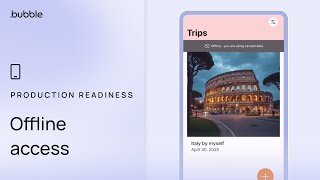
Enabling offline access (Lesson 6.6)
What happens when our users lose internet connectivity? Can they still access our app? In this lesson, we’ll learn about how we can design our app’s UX around offline behavior and dig into the nuts...

Employing reusable elements on mobile (Lesson 6.7)
As our apps get more complex it can be hard to stay organized. One of the most effective tools in your Bubblers toolkit to remedy this is reusable elements. At first sight they might seem simple, ...

Transactional emails with Loops.so (Lesson 6.4)
There are many different services that we can use to send emails from our app and by-and-large the setup is similar across all of them. In this lesson, we’re going to learn how to send transactiona...

Updating your users’ email and password (Lesson 6.2)
In this short and sweet lesson, we’ll learn how to allow our users to update their email and password, standard stuff for virtually every app! 00:00 Updating the user’s email 03:55 Updating the us...

Creating the User account view (Lesson 6.1)
Almost every mobile app has this kind of view: an account view. A place for users to update their profile or login information, amongst other things. In this lesson we’re going to design a simple, ...

Adding Terms of Service and Privacy Policy (Lesson 6.5)
Having legal docs, like Terms of Service and a Privacy Policy, for your users to agree to is standard stuff for mobile apps and is required by the Apple and Google app stores. In this lesson we’ll...

Readying your app for real users (Lesson 6.8)
This might be the most boring lesson in the entire course... But it might also be the most accurate. In this lesson, we’re going to do what everyone needs to do but nobody wants to do: fix bugs, i...

Build AI-powered features for mobile (Lesson 5.12)
Time to put it all together. You’ve learned what APIs are. Now let’s use this knowledge to build an AI feature into our app! 00:00 How our AI feature works 03:55 How to talk to an LLM in OpenRoute...

How to use API data in your app (Lesson 5.10)
Now that you understand what an API is and how to connect with one from your Bubble app, it’s time to learn how to actually use API data in your app 00:00 API data as a data source 08:08 API data ...

Schedule a workflow on a list (Lesson 5.7)
As well as being able to “make changes to a list of things” on Bubble, we can also schedule a workflow to happen for every entry in a list. This opens up a ton of advanced use cases, like running ...
How to set up privacy rules in your app (Lesson 5.1)
Without privacy rules, all of your user’s data is publicly available on the internet. It’s that simple. In this lesson we’ll learn what privacy rules are, how they work, and learn how to configure...

Understanding workload for native mobile (Lesson 5.8)
Everything your app does has a “cost,” and that cost is measured in workload. Just like anyone who runs a business will learn about profit and loss, every Bubbler needs to learn the economics of wo...

Creating privacy settings (Lesson 5.2)
In this lesson we’re going to use the humble checkbox element to control whether or not a trip is public. Making use of our new-found knowledge of privacy rules, this public setting is what’s going...

Making bulk updates to your app database (Lesson 5.3)
So far in the course, we’ve been updating entries in our database one by one. But it’s also possible to bulk-update entries. In this lesson, we’ll learn how to do this to bulk update a bunch of di...

File security & why it matters (Lesson 5.5)
The chicest topic of all time returns: security. In Bubble, keeping your files secure is easy but requires a little bit of learning up front to understand what exactly we mean by “secure a file”. ...

How to use device location with Google’s API (Lesson 5.11)
Make sure you’ve watched 5.10 Device Location before this lesson as we’ll be building off the knowledge of how to get the user’s device location that we already learned there. Lesson 5.10: https:/...

How to schedule backend workflows (Lesson 5.6)
All the workflows that we’ve built so far in the course are workflows that are triggered by our users in real time. But it’s also possible for us to schedule workflows to happen at some future tim...

Start building custom mobile UI (Lesson 5.4)
Very often on Bubble you’ll want to create your own custom design component from smaller building blocks. In this lesson we’re going to do exactly that to build a clever little toggle component fo...

Connect your mobile app to an API (Lesson 5.9)
No app is an island. Every successful app is using other services to give it data or process information, and yours will be no different. APIs are how your app can talk to external services. Learn...

🚀 ENHANCED Performance | September Product Update
Here's some Bubble updates to look forward to going into September: ✅ Database search performance enhancements ✅ Experts directory ✅ Six new releases for Enterprise customers ✅ Bubble Tour in Octo...

Which Mobile Apps won our $15K Summer Challenge? (Winners & Finalists)
We asked you to go mobile and you delivered. To everyone who participated in our Summer Mobile Challenge: thank you for showing the world what's possible with Bubble! Our winners — Scanimal (Yuri...

How Damiano Starr Is Shaking Up the Food Industry With ThinkCater
Damiano Starr, founder of ThinkCater, built apps with Bubble to eliminate manual processes in his catering business. But now he’s on a mission to help others in the food and catering industry, havi...

Device location (Lesson 4.10)
Time to get our user’s location data! This device resource can unlock a whole host of interesting functionality for your app. 00:00 Requesting location permissions 03:50 Getting location data via ...

Map view (Lesson 4.11)
Now that we can save our user’s location, lets learn how to visualize those locations on a map! 00:00 Adding the map tab 01:52 Adding our Google Maps API key 05:02 Display markers on the map 10:00...

Horizontal lists (Lesson 4.7)
Horizontal lists allow us to display a row of items that the user can scroll with their finger. They’re a super versatile element! 00:00 How a horizontal list works 04:56 Setting up a list of imag...

Geographic address (Lesson 4.9)
Bubble gives us a whole host of ways in which we can work with addresses. In this lesson, we’ll learn what a ‘Geographic address’ type of data is and what we can do with it. Bubble’s Manual entr...

Displaying images & advanced design tips (Lesson 4.6)
00:00 Design inspiration 03:01 Designing the image group 10:11 Finessing the layout 13:36 Accounting for empty images 17:07 Finessing the navigation icons 20:02 Navigation logic 💻 View the Bubble ...

Long press (Lesson 4.8)
In this lesson, we’ll learn about a new gesture - the long press! We’ll use it to set up a cover image for a trip that we draw from the images of that trip’s diary entries 00:00 How to set up a l...

Deleting images (Lesson 4.5)
In this lesson we’re going to add the UI and logic for deleting an uploaded image. 💻 View the Bubble editor for this lesson: https://bubble.io/page?id=wanderlog-rehearsal-2&tab=Design&name=diary+e...

Adding an image loading indicator (Lesson 4.4)
After a user selects an image on their phone, they have to wait a few moments while it’s uploaded. While they’re waiting, we can set up a simple loading indicator using custom states. I challenge...

Setting up a draft diary entry (Lesson 4.3)
In this lesson we’re going to set up this concept of a ‘draft’ thing in our database. This has the advantage of giving us a data type we can save files to (like our user’s uploaded images). In the ...

Camera and photo library access (Lesson 4.2)
Time to learn how to save images that users take with their camera or upload from their photo library! In this lesson, we’ll learn how to handle, save, and display images that come from our user’s...

What’s a Device Resource? (Lesson 4.1)
How do get access to things like our user’s camera or location? These things we call “Device Resources,” and on Bubble, accessing them is super easy. In this lesson we’ll learn high level about ...

Introducing the Figma to Bubble Converter
Convert your Figma designs into responsive, pixel-perfect Bubble elements in just a few clicks — for free. https://bubble.io/figma-to-bubble Subscribe to this channel to be the first to hear about...

Bubble Mobile Hackathon in PARADISE | 18 Devs, 5 Teams, 1 Competition
Bubble Greek House (organized by Sarah Esteve) brought 18 professional Bubble Developers to Crete, Greece to network and learn from one another. Participants came from 11 countries, including the U...

Deleting a list of things (Lesson 3.10)
We have the power in Bubble to delete multiple things at once. In our app, we want to use this power to delete all of the diary entries associated with a trip whenever we delete that trip. In this...

Custom states (Lesson 3.9)
Custom states are a fairly abstract concept and are often difficult for beginners to get their head around. But really, all they are is a container for data. In this lesson, we’ll use custom states...

Improving the search UX (Lesson 3.8)
In this lesson, we’re going to build our filtering logic inside of a sheet, which is a common UX pattern for filtering a list. 00:00 Building the UI 07:06 Finessing the sheet appearance 10:21 Impr...

Search constraints (Lesson 3.7)
In this lesson, we’re going to set up a simple search interface drawing from the “Trip type” option set we set up in the previous lesson. To do so, we’re going to revisit how search constraints wo...

Option sets (Lesson 3.6)
Option sets are an incredibly powerful feature in Bubble that allow us to define static data values to be used throughout our app. They are super flexible and powerful. 00:00 What is an option set...

Nested views (Lesson 3.5)
In this lesson, we’re going to round out our diary functionality by letting users click into and edit diary entries. 💻 View the Bubble editor for this lesson: https://go.thinkitbuildit.co/pD2rJur ...

Diary entry form (Lesson 3.4)
In this lesson, we’re going to build the view for creating a diary entry. This is REALLY similar to the form we’re using for creating a trip, so we encourage you to try to build this yourself first...

Data relationships (Lesson 3.3)
In this lesson, we’re going to add a new data type (diary entry) which has a relationship with another data type (trip). We’re going to learn how these relationships allow us to power any kind of ...